The caretaker can't be everywhere. The codes can.
Put a QR code in every classroom, corridor, and plant room. Any member of staff scans and reports a fault in about 20 seconds — no app, no login. The site team sees it the moment it's raised.
Unlimited QR labels on Starter · No card required · Written for site managers, caretakers and business managers
The problem
Why school jobs pile up
A radiator's cold in Block C. A teacher mentions it in the corridor, the caretaker is already dealing with a leak, and it never gets written down. Three weeks later it's still cold, and now it's a complaint.
Jobs get reported in the corridor
Staff tell whoever they pass. Nothing reaches a list, so the site team works from memory and from whoever asked most recently.
Safety jobs sit in the same pile
A trip hazard and a wobbly projector arrive by the same informal route, so the urgent one isn't obvious until somebody gets hurt.
No record when it matters
When you need to show a job was raised and cleared — for a governor, an inspection, or an insurer — memory and a notepad don't stand up.
£13.8bn — the maintenance backlog across England's schools.
Around one in six pupils learns in a building needing major repair. The jobs that never get logged are how a backlog starts.
Source: National Audit Office, October 2024
How ScanSolve fits
A code in every room
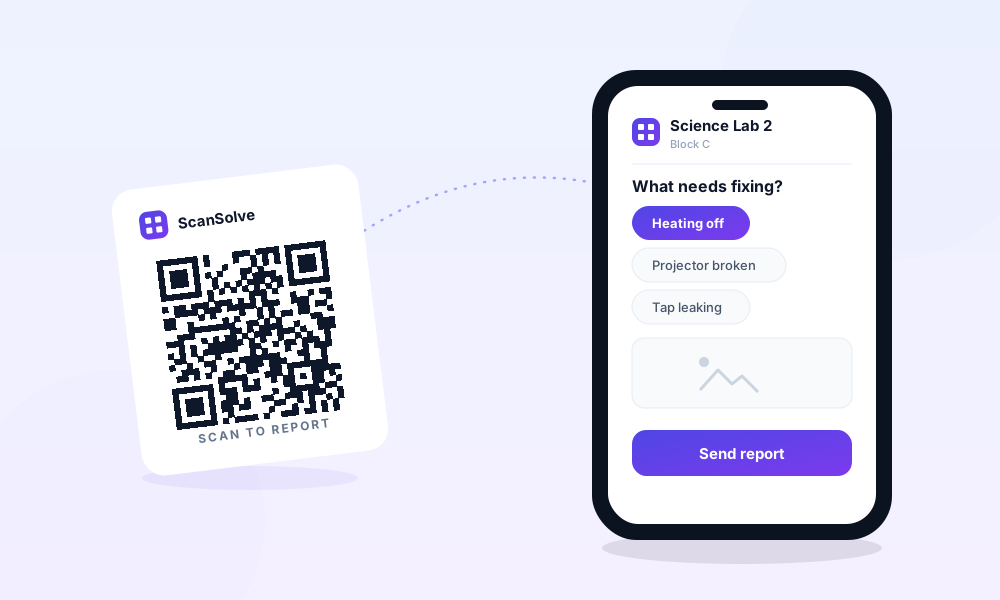
Print labels and put one in each classroom, corridor, and plant room. When a teacher or a cleaner spots something, they point a phone at the nearest code, pick the fault, and submit. It reaches the site team with the exact room and a timestamp, so nothing depends on catching the caretaker between lessons.
What gets reported
What changes
What you get out of it
Every job in one list
Staff report in seconds from the room, so the site team works from a real list instead of corridor conversations.
Safety jobs surface fast
A trip hazard gets logged the moment it's seen and can be prioritised, rather than waiting for someone to mention it.
A dated record
Every job is timestamped when raised and when cleared. Useful for governors, insurers, and anyone asking what happened.
No per-seat tax
MaintainX and UpKeep bill $16–20 per user, per month — unworkable when you want every teacher able to report. ScanSolve is one flat price for the site team, and the staff who scan a code never count as users.
See how our pricing comparesHow it works
Up and running in under 10 minutes
Step 1
Print your QR labels
Generate labels in the dashboard and print them on standard Avery sheets. Peel and stick.
Step 2
Place them where faults happen
One code per machine, room, or zone. If something can go wrong there, put a label on it.
Step 3
Faults get reported and fixed
Anyone scans, fills a quick form, and the right person gets notified. Track it through to done.
FAQ
Schools: common questions
Do staff need an app or a login?
No. They point a phone camera at the code and fill a short form. No app, no account. Only your site team logs in to manage the jobs.
Can pupils report things too?
That's your call — anyone who can scan a code can report. Some schools put codes in staff areas only; others tag toilets and corridors so pupils can flag problems. You choose where the codes go.
Can we tag every classroom?
Yes. Labels are unlimited on every plan, including the free one, so you can tag every room, corridor and plant area at no cost.
How is this cheaper than a CMMS like MaintainX or UpKeep?
Those bill per user per month — MaintainX from $16, UpKeep from $20 — which is unworkable if you want every teacher able to report. ScanSolve is one flat £15/mo for the site team, and the staff who scan a code aren't users at all.
Put a code where the fault is.
Start free with unlimited QR labels. No card, no deadline. Upgrade to Prime when you want your own branding and instant alerts.